I have been looking over the Feisty Fawn Spec (the next version of ubuntu due 04/2007). There are some pretty impressive goals which i can't wait to see implemented. Because i have a ATI video card i am especially interested in the ATI driver fglrx development and it possibly being open sourced along with the hope of it supporting texture-from-pixmap and the composite extension. The open source driver supports AIGLX but it really slow and only gives 3D acceleration for some cards. Check out the Accelerated X spec and the Binary Driver Education Spec. I some what disagree with having binary drivers from ATI and nvidia enabled by default but the choice is given...i would really like to see the ATI driver open sourced so development will be quicker and updates on time along with support for AIGLX. I also like what i see in the Bullet Proof X Spec. It looks like a lot of work is going to be done with the UI of Ubuntu. Check out the Composite By Default Spec, and the specs i mentioned above having to do with Accelerated X Spec and Binary Driver Education Spec. As for the Composite by Default spec i hope Beryl is chosen over compiz because i prefer it...although both are good. So for your reading pleasure, i picked out my favorite specs:
USplash Fsck Progress
Easy Codec Installation
Binary Driver Education
Composite by Default
Bullet Proof X
Accelerated X
Also if anybody didn't notice Java was open sourced under the GPL v.2 :) Specifically the JDK including J2ME (CLDC, CDC) and J2EE.
Anyways it is getting late and i have to go to bed...keeping busy with school.
Showing posts with label Linux. Show all posts
Showing posts with label Linux. Show all posts
Wednesday, November 15, 2006


Wednesday, October 25, 2006
Edgy is Due tomorrow :) and NetBeans 5.5 is on it's way
I haven't bloged for what feels like a very long time...i was hoping i could update my blog to Blogger beta but unforchantly i do not have the option yet. Just today i completed the main board for my grade 12 computer engineering project. I will explain more about my projects and others in my next post (i promise). Also Ubuntu Edgy Eft is being released tomorrow and i am all set to make a clean install...i currently have been using edgy RC but also did testing on edgy beta. Netbeans 5.5 will be coming out shortly which is also i going to be nice...i would recommend anybody to watch Roumen Strobl's demos "Why NetBeans" (Part 1) (Part 2)...looks very impressive :) Hopefully JDK 6 (formaly known as Mustang) will be release at about the same time as NetBeans 5.5...we will see :)
Sunday, October 01, 2006
Finally!!
After about 6 months of not being able to have DRI (AKA 3D Acceleration) i have got it working in Edgy Beta 1 using fglrx 8.29.6. I am now very excited to finally have XGL on my laptop. I have also installed Beryl which is the compiz fork (it is very impressive especially seeing as it is still alpha). I am also pretty excited to try out my Doom 3 and Doom 3 Reurection of evil in linux. I also just recently bought Half-Life 2 Episode 1 and have yet to play it (because i am windows free :). I do not play games very often but have been missing it...(i have had Doom 3 for almost a year and have not played it for over 4 months...when i last played it i just got to Hell. Anyways this month is a big month for quite a few things: Ubuntu Edgy Eft comes out, JDK Mustang (i know Sun is not going with code names but i still like to name its 'former' code name), NetBeans 5.5, NetBeans Mobility Pack 5.5, Enterprise pack (i am very excited about this pack...i have been hoping for this for a while), Netbeans C/C++ pack (which needs better linux support btw, [i will write a blog about it when the 5.5 version comes out]). I have tried out all the software i have listed above from alpha to now and have seen many awesome changes! Well that is my little bit for the day...all i have to say i check out the compiz fork Beryl and check out NetBeans and its packs along with Ubuntu Edgy Eft (currently beta 1).
Friday, September 29, 2006
Edgy Beta 1 thaughts
Yesterday, right when Ubuntu 6.10 edgy eft beta 1 was release (at aproximatly 5 PM) and i downloaded it with high hopes that bug 53910 was fixed because this bug made edgy not boot into the live cd (from knot 3 back). I was happy to see that the bug was fixed and that edgy boot quite quickly into the live cd. The live cd was also very snappy. I first installed it to my portable hd...when i rebooted it worked fine and booted from grub right to edgy beta 1...i was apsolutly amazed because my laptop does not support booting from usb devices...then i decided i would install it on a partition on my laptop. So i dual booted Ubuntu 6.06 dapper and edgy beta 1...edgy looks very pretty but i did not try to install fglrx, xgl and beryl...i will when i have more time to fiddle around with it...one of the first things i did after i installed edgy on my laptop was try to get wireless working...as i have mentioned before i have a problematic wireless card (the broadcom 4318). I have to use ndiswrapper because bcm43xx-fwcutter does not work with my specific card. ndiswrapper is broken in edgy so i was having trouble getting my wireless card working...it is definitly poassable to get working but is problematic. Edgy is not going to be as stable as Dapper but it will be a nice OS over all...it needs some time and some much needed bug fixes....i really want to see DRI out of the box for all GPU's and xgl and beryl right out of the box...maybe edgy+1 or edgy+2. Only time will tell.
Tuesday, September 26, 2006
"Un-invention" : imagine
For english i had to write a small essay on what i would "un-invent" if i had a chance and why. And because i picked a topic that is tech related and that some might find interesting i decided i would share it with you...btw i am sorry i am not blogging more regularily but i have been very busy. I will soon let you readers know what i am doing that is interesting in school. Anyways here is my little essay (note this is not tottaly polished; comments are apreciated).
Un-invention
If i were to un-invent somethings i would un-invent proprietary software vendors like Microsoft and Macintosh because they prevent innovation, spread of computer usage throughout the world, and many other things that Open Source can provide. Proprietary indicates that a party, or proprietor, exercises private ownership, control or use over an item of property, usually to the exclusion of other parties (Proprietary). In the case of software that means the source code. Source code is the computer code that makes up an application. The following statement, “Knowledge belongs to the world” (Anti Trust) raises a point about proprietary software versus open source software. Knowledge should not be kept from the world but distributed freely, proprietary software prevents this. Open Source has many positive effects. One is a very fast development cycle. Ubuntu an open source linux distro that is based on Debian linux has a development cycle of 6 months where as Windows has a development cycle that changes from 2 to 6 years!! The reason open source development is much quicker is because other developers can contribute patches and extra code. Because more than one team of developers are working on the code and that outside sources are contributing you get a more innovative product. Also because open source software is free it allows more people to have computer because they can afford a OS (Operating System) therefore spreading computer usage world wide. Over all if there was no such thing as proprietary software then our world would be a cheaper, faster, nicer computer world.
Un-invention
If i were to un-invent somethings i would un-invent proprietary software vendors like Microsoft and Macintosh because they prevent innovation, spread of computer usage throughout the world, and many other things that Open Source can provide. Proprietary indicates that a party, or proprietor, exercises private ownership, control or use over an item of property, usually to the exclusion of other parties (Proprietary). In the case of software that means the source code. Source code is the computer code that makes up an application. The following statement, “Knowledge belongs to the world” (Anti Trust) raises a point about proprietary software versus open source software. Knowledge should not be kept from the world but distributed freely, proprietary software prevents this. Open Source has many positive effects. One is a very fast development cycle. Ubuntu an open source linux distro that is based on Debian linux has a development cycle of 6 months where as Windows has a development cycle that changes from 2 to 6 years!! The reason open source development is much quicker is because other developers can contribute patches and extra code. Because more than one team of developers are working on the code and that outside sources are contributing you get a more innovative product. Also because open source software is free it allows more people to have computer because they can afford a OS (Operating System) therefore spreading computer usage world wide. Over all if there was no such thing as proprietary software then our world would be a cheaper, faster, nicer computer world.
Tuesday, August 22, 2006
Looking forward - what linux needs to beat microsoft
Yesterday was a very sad day for me...i sometimes like to play some games (Doom 3, Halflife 2, etc...) and linux just can't do it as good as windows...so i installed windows so i could play games...i still use linux as my primary OS but have windows just so i can play games from time to time...i was thinking what could bring linux to the next level so it could beat microsoft and become the primary OS for most of the computing nation...I decided linux needed the following improvements (comments on ones you think i missed):
Easier for home use; more media options --> direct X 10 and under support, hardware exelerated drivers, faster 3d, the option of simplicity, games working out-of-the-box; perfect hardware support and auto config; always up-to-date; pretty (xgl/compiz option that comes as default). Well that's all that i have time for today...cheers.
Easier for home use; more media options --> direct X 10 and under support, hardware exelerated drivers, faster 3d, the option of simplicity, games working out-of-the-box; perfect hardware support and auto config; always up-to-date; pretty (xgl/compiz option that comes as default). Well that's all that i have time for today...cheers.
Friday, August 18, 2006
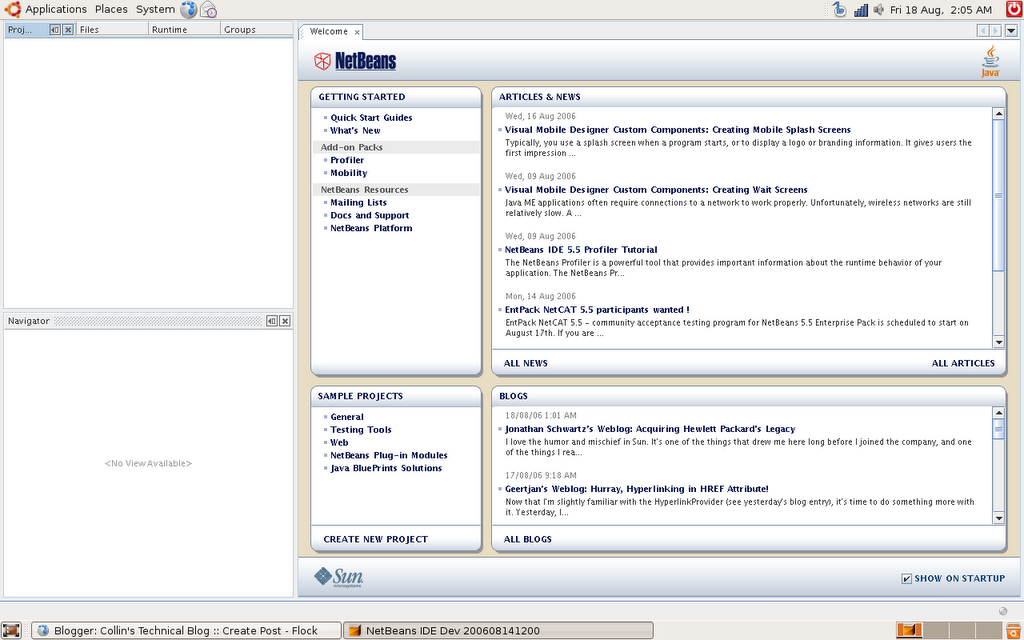
NetBeans 6.0 M2 - First look
Today NetBeans 6.0 M2 came out and i decided i would give it a try...i also downloaded the NetBeans Profiler 6.0 M2 and have it installed as well...i have included some screenshots and thaughts/sugestions:
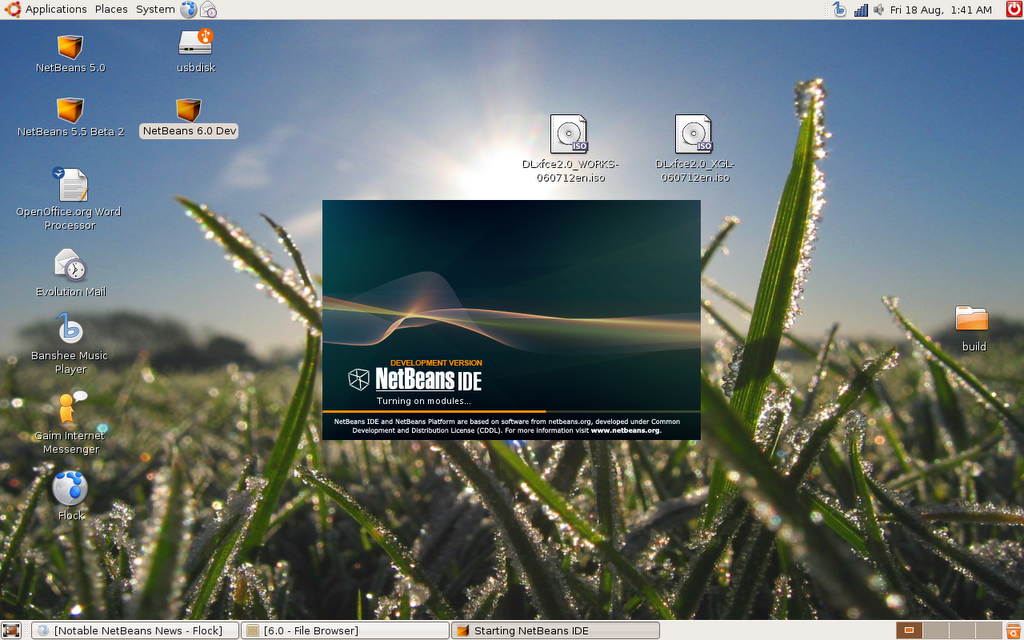
The installer for Netbeans 6.0 M2 and NetBeans Profiler 6.0 M2 look basicly the same as the installers from NetBeans 5.5 beta 1/2. Once installed this is NetBeans 6.0 M2 booting up: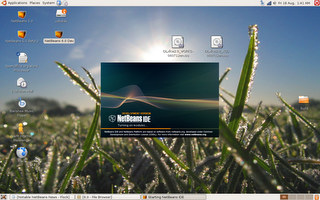
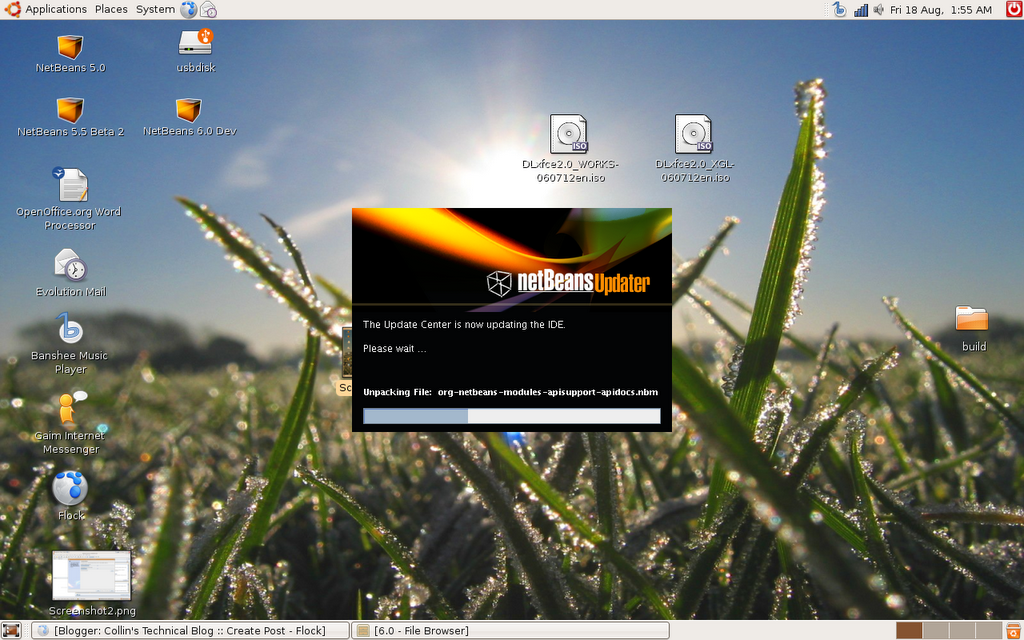
As soon as i had NetBeans 6.0 M2 running i opened the update center to update everything and add extra functionality...There are no changes to the update center that i can see...one feature i would really like to see in NetBeans is better "module management"...at the moment i can turn modules on and off but i would like to see a blacklist feature in the update center...so you can blacklist modules you never want to install (so for me that would include the modules that disable the default cvs support)...Here is a screen shot of the update center of NetBeans 6.0 M2: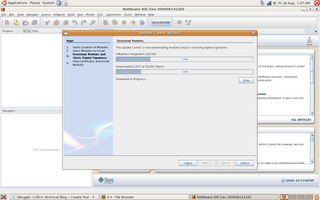
After i finished running the update center i had to restart the IDE...this is what it looked like: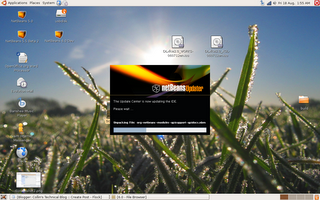
Once the IDE is running again i looked around for some cool stuff...first i looked at full screen mode: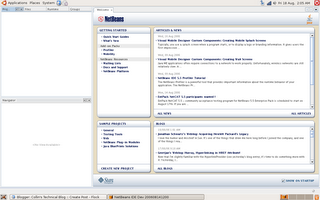
Pretty cool but i wish it support the whole screen like in the windows verion...maybe when jdk 6 Mustang comes out with gtk+ support then it will be able to get rid of the gnome panels...Also i can't wait to see how NetBeans will look under linux (gtk+) with Mustang...it will be awesome...because right now i can't say it is the pretties thing i have ever seen (although the interface is very intuitive and there is nothing netbeans could have really done about the way it looks....there are ways to buitify NetBeans (Substance) i would prefer native look and feel). Note: nothing against the UI team at NetBeans...the UI is great, very intuitive and user friendly and will be capped off on linux when Mustang comes out with gtk+ support to make it "sexy" on linux. Here is a screen shot of Full screen mode in Ubuntu 6.06 dapper: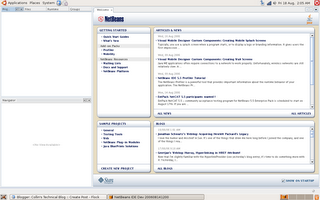 In a couple of days after using it for a little while i will report back with more things i like/dislike/like to see improved with screenshots.
The installer for Netbeans 6.0 M2 and NetBeans Profiler 6.0 M2 look basicly the same as the installers from NetBeans 5.5 beta 1/2. Once installed this is NetBeans 6.0 M2 booting up:
As soon as i had NetBeans 6.0 M2 running i opened the update center to update everything and add extra functionality...There are no changes to the update center that i can see...one feature i would really like to see in NetBeans is better "module management"...at the moment i can turn modules on and off but i would like to see a blacklist feature in the update center...so you can blacklist modules you never want to install (so for me that would include the modules that disable the default cvs support)...Here is a screen shot of the update center of NetBeans 6.0 M2:

After i finished running the update center i had to restart the IDE...this is what it looked like:
Once the IDE is running again i looked around for some cool stuff...first i looked at full screen mode:
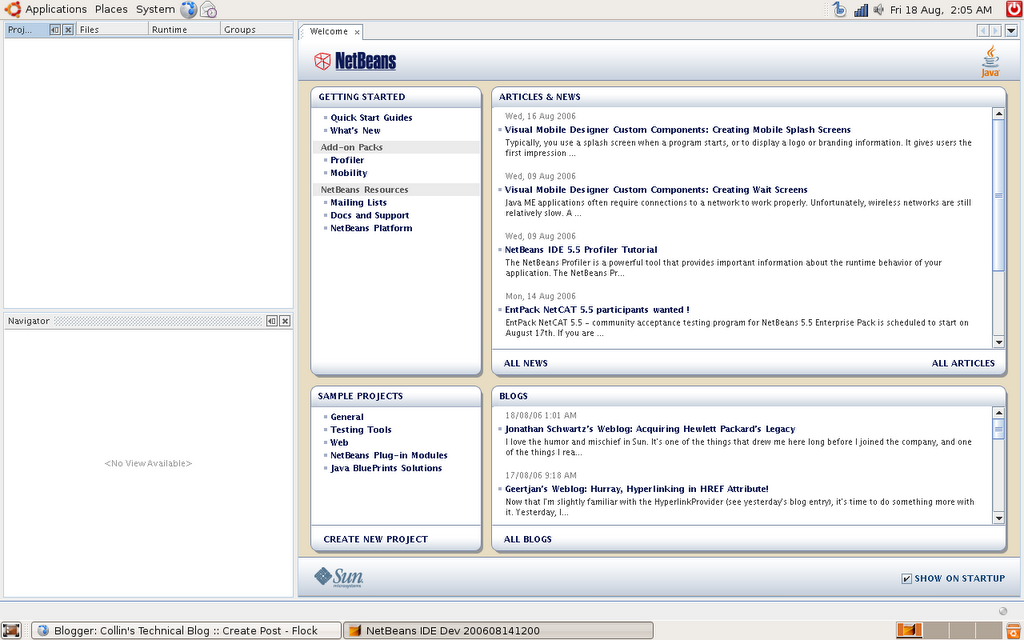
Pretty cool but i wish it support the whole screen like in the windows verion...maybe when jdk 6 Mustang comes out with gtk+ support then it will be able to get rid of the gnome panels...Also i can't wait to see how NetBeans will look under linux (gtk+) with Mustang...it will be awesome...because right now i can't say it is the pretties thing i have ever seen (although the interface is very intuitive and there is nothing netbeans could have really done about the way it looks....there are ways to buitify NetBeans (Substance) i would prefer native look and feel). Note: nothing against the UI team at NetBeans...the UI is great, very intuitive and user friendly and will be capped off on linux when Mustang comes out with gtk+ support to make it "sexy" on linux. Here is a screen shot of Full screen mode in Ubuntu 6.06 dapper:
 In a couple of days after using it for a little while i will report back with more things i like/dislike/like to see improved with screenshots.
Monday, August 14, 2006
Things i want to see in future releases of Netbeans
I have been learning C/C++ and gtk+ and gtkmm (the C++ bindings to gtk+). So i was thinking what i would like to see from my favourite IDE, NetBeans and i thaught tha having a cross platform gui builder for C/C++ apps using gtk+/gtkmm would be cool...gtk+ and gtkmm are cross platform so all NetBeans would have to do is create a killer gui builder like Matisse...I am very excited to try out the new Matisse in NetBeans 5.5 and NetBeans 6.0. I also recently dound out from Roumen Strobl that Jdk Mustang supports gtk++...this make me very happy because i am a linux user (i have not had windows on my laptop for about 3 months :) and i am very happy with ubuntu :)). Anyway sorry if my thaughts are a little scrambled but it is late over here in Canada. Cheers.
This is what i have set as my nickname for MSN/Yahoo/ICQ/etc.. enjoy :)
Have you had enough with windows? Yeah you have...becuase there is somthing much better...it's called linux ;) Get it today...it is free!!
This is what i have set as my nickname for MSN/Yahoo/ICQ/etc.. enjoy :)
Have you had enough with windows? Yeah you have...becuase there is somthing much better...it's called linux ;) Get it today...it is free!!
Saturday, August 12, 2006
Endless Information
I am setting some goals for myself for this year and in the future...Here is a list of all the things i would like to acomplish this school year (September to June).
1. Work hard at school and stay on the honor role all year
2. Do the best i can do (give a full effort)
Programming objectives (over the next couple of years)
1. Make sure i know all of J2SE like the back of my hand and make sure i know all the new Mustang API's
2. Learn J2ME and all of its API's
3. Learn J2EE and all the fun stuff that comes along with it.
4. Learn C
5. Learn C++
6. Learn the linux C API's (gtk)
7. Learn the linux C++ API's (gtkmm)
8. Learn C# and Mono
9. Learn some scripting languages like js, perl, groovy, beanshell, etc...
10. Learn Python
11. Keep up to date on all of the langauges and thier API's
It is quite the list but i think it is possable to do...it is a lot of learning but it will be fun :)
1. Work hard at school and stay on the honor role all year
2. Do the best i can do (give a full effort)
Programming objectives (over the next couple of years)
1. Make sure i know all of J2SE like the back of my hand and make sure i know all the new Mustang API's
2. Learn J2ME and all of its API's
3. Learn J2EE and all the fun stuff that comes along with it.
4. Learn C
5. Learn C++
6. Learn the linux C API's (gtk)
7. Learn the linux C++ API's (gtkmm)
8. Learn C# and Mono
9. Learn some scripting languages like js, perl, groovy, beanshell, etc...
10. Learn Python
11. Keep up to date on all of the langauges and thier API's
It is quite the list but i think it is possable to do...it is a lot of learning but it will be fun :)
Thursday, July 20, 2006
Netbeans 5.5 beta 2
I just downloaded Netbeans 5.5 beta 2 (althought it was released a while ago i have been out with my broken leg). I am excited to check the NetBeans Enterprise pack and the C/C++ pack (although the beta 2 has not been released for either). I will install it tomorrow and tell what i think (from what i have read it looks apsoluly phenomenal :) ). Cheers
The spirit of open source and community
Humanity to others. I am what i am because of what we are. These two statements are on the ubuntu homepage and they really got me thinking. Community is one of the best things about opensource...sure the source is available (which is handy), the product is free (which is nice), there are quick updates and bug fixes, and the consumer recieves a very inovative product but whould all these things happen without a community? The source will always be available (or ir wouldn't be opensource) but without a community to download and test/look over what would be the point? Having the source open to the community speeds up the production time of the product and makes the product more invative because users can find errors in the product and notify the developers. One of the best things about community is that there are very helpful mailing lists and forums. For example the ubuntu forums and the netbeans mailing lists. You can get endless information from these sources; not to mention when a new thread is posted it is usually resonded to in minuites :)
REMEBER: community drives much of opensource and enhances products...so get involved!!
REMEBER: community drives much of opensource and enhances products...so get involved!!
Thursday, June 29, 2006
Edgy Eft, hope and linux...and of couse NetBeans
At the moment i am very, very excited for the release of ubuntu 6.10 (Edgy Eft), Java 6 (Mustang), NetBeans 5.5 and NetBeans 6.0. Ubuntu 6.10 is going to be awesome because it will probably have xgl and compiz working out of the box (hopefully) and now that 8.26.18 ati propriatary fglrx beta driver is out and supports my card (the Radeon 200M) i will have 3D support :). Hopefully the new ati driver will be done for the new release of ubuntu. One thing ATI needs to do is to either open source their propriatary driver (which i know they will not do because it will give away too much about their cards) or put a distributor licence on it so it can be distributed freely by open source vendors like ubuntu and other linux distros. I am excited for java 6 (Mustang) because it is much faster and looks better on linux. I am also very excited for NetBeans 5.5 and am very much antisipating NetBeans 6.0. Before i start school again in the fall i am going to make a clean install of Ubuntu 6.10 (Edgy Eft) with NetBeans 5.5 (Enterprise pack, C/C++ pack, Mobility pack and profiler) running on Java 6 Mustang. It will be awesome..anyway..i have to read up on driving in Canada (I have to write my drivers test).
To all i wish the best...thanks for reading.
To all i wish the best...thanks for reading.
Tuesday, June 20, 2006
Winning the Windows Vs. Linux Battle
Microsoft has been promising a lot of nice new features in Vista. You can check them out here. I am going to make a little comparison of the features and we'll see who you think will come out on top...
Look and Feel ["eye candy"]
Windows: Direct X 10 looks intersting...I like the thumbnail view when you go ever an item in the startbar...but really there LAF is not that great...it is just glass XP...not to mention it is very, very bulky, heavy wieght and slow.
Linux: First off XGL is open source, looks great and doesn't take a super-human machine to run...it is not to hard to install and is supose to be installed right off the bat in futute releases of ubuntu, SuSE and other distros. The only hinderance i have experianced is my fglrx drivers just won't work therefore i can not install XGL.
Sidebar
Windows: Looks pretty but i would not want it because it would just make windows even slower than it alread is...could be usefull though...lots of funtionality (see this for more info)
Linux: This can be done with gdesklets which are pretty nice...i noticed no preformace drops when using them and they are open source!! There could be more funtionality but it is basicly there (+ there is probably a plugin somewhere)
Performance
Windows: The slowest windows ever! Although it does have some cool features like sleep.
Linux: Has always been very, very fast but i wish there was a sleep option and a hibernate option that is not as flaky.
Backup
Windows: This is the only place i can see windows beating linux (and only by a little)...i really like the idea of "Volume Shadow Copy" and "System Restore".
Linux: You can do something like "system resote" with a opensource tool called "sbackup", but i wish it were more intigrated with the system. As i said above i really like the idea of "Volume Shadow Copy" and as i am aware there is no tool to do this in linux...an nice intigration into OpenOffice and the rest of the systemw would be great.
Networking
Windows: From what i have seen of Vista microsoft has spent a lot of time with the interface and it is pretty and has basicly said "screw performance". The network manager looks very nice and user friendly...
Linux: networking in linux is very nice if your hardware is supported...and now adays everything is...(wireless is soon going to be shiped by default) and iff not you can use ndiswrapper (that is what i use)...gnome network manager is very nice and simple to use...and the networking tools in linux are phenomenal.
Other:
I really like windows media center...on linux there is myth tv which is good as well...Gaming and family safe programs are also neat...linux needs to get these because as far as i know it doesn't. I think the "Windows slideshow" feature is interesting but basicly useless...once laptops with this new built in technology linux will adapt. Speech recognition in windows vista also looks very interesting...linux needs something like it...something integrated into the sysem.
Look and Feel ["eye candy"]
Windows: Direct X 10 looks intersting...I like the thumbnail view when you go ever an item in the startbar...but really there LAF is not that great...it is just glass XP...not to mention it is very, very bulky, heavy wieght and slow.
Linux: First off XGL is open source, looks great and doesn't take a super-human machine to run...it is not to hard to install and is supose to be installed right off the bat in futute releases of ubuntu, SuSE and other distros. The only hinderance i have experianced is my fglrx drivers just won't work therefore i can not install XGL.
Sidebar
Windows: Looks pretty but i would not want it because it would just make windows even slower than it alread is...could be usefull though...lots of funtionality (see this for more info)
Linux: This can be done with gdesklets which are pretty nice...i noticed no preformace drops when using them and they are open source!! There could be more funtionality but it is basicly there (+ there is probably a plugin somewhere)
Performance
Windows: The slowest windows ever! Although it does have some cool features like sleep.
Linux: Has always been very, very fast but i wish there was a sleep option and a hibernate option that is not as flaky.
Backup
Windows: This is the only place i can see windows beating linux (and only by a little)...i really like the idea of "Volume Shadow Copy" and "System Restore".
Linux: You can do something like "system resote" with a opensource tool called "sbackup", but i wish it were more intigrated with the system. As i said above i really like the idea of "Volume Shadow Copy" and as i am aware there is no tool to do this in linux...an nice intigration into OpenOffice and the rest of the systemw would be great.
Networking
Windows: From what i have seen of Vista microsoft has spent a lot of time with the interface and it is pretty and has basicly said "screw performance". The network manager looks very nice and user friendly...
Linux: networking in linux is very nice if your hardware is supported...and now adays everything is...(wireless is soon going to be shiped by default) and iff not you can use ndiswrapper (that is what i use)...gnome network manager is very nice and simple to use...and the networking tools in linux are phenomenal.
Other:
I really like windows media center...on linux there is myth tv which is good as well...Gaming and family safe programs are also neat...linux needs to get these because as far as i know it doesn't. I think the "Windows slideshow" feature is interesting but basicly useless...once laptops with this new built in technology linux will adapt. Speech recognition in windows vista also looks very interesting...linux needs something like it...something integrated into the sysem.
Subscribe to:
Posts (Atom)


 Protect your freedom!


